Which photo works best for a portrait or house drawing?
Nine times out of ten, the difference between a beautiful and a mediocre artwork is not the style but the photo. The good news: you do not need to be a photographer. Three things, light, sharpness and distance, get you there almost every time.
Light: daylight wins almost always
The AI draws what it sees. In a dark photo, exactly the details that make a drawing recognisable disappear: the light in the eyes, the line of a jaw, the texture of a coat. So look for daylight. Indoors, a spot right by the window works fine; outdoors, a lightly overcast day is even better than bright sun, because harsh shadows disappear.
Watch out for backlight in particular. If your subject stands in front of a window or with the sun behind them, the face becomes a dark silhouette. Turn a quarter together, so the light comes from the side or the front, and you will see the difference on your screen right away.
Photographing your house? Morning or late afternoon gives soft shadows and a calm facade. Avoid the late evening: lit windows and a dark sky look atmospheric, but the facade itself, the thing that matters, disappears into the dark.


Sharpness: zoom in and check
A photo that looks sharp on your phone screen can still be blurry up close. So do this simple check: open the photo and pinch-zoom in on the eyes, or on the front door in the case of a house. If you still see detail, you are fine. If you see a soft mush, pick another photo.
A small consolation if your only good photo is just short of sharp: loose paint styles such as watercolour and oil forgive blur far better than clean line styles. In our create flow we automatically put those styles up front, with an honest tip next to them.
Distance: fill the frame with your subject
The larger your subject is in the frame, the more the AI can do with it. For a portrait, chest-up is a great starting point; the face can easily fill a third of the photo. That lovely holiday photo where someone stands ten metres away in front of a temple rarely turns into a recognisable portrait.
For a house it is the other way around: step back far enough to get the whole facade in the frame, with a little sky and street around it. Stand straight in front of the house, or deliberately on a corner for some depth, and keep your phone level: that keeps the lines of the house straight instead of leaning backwards.

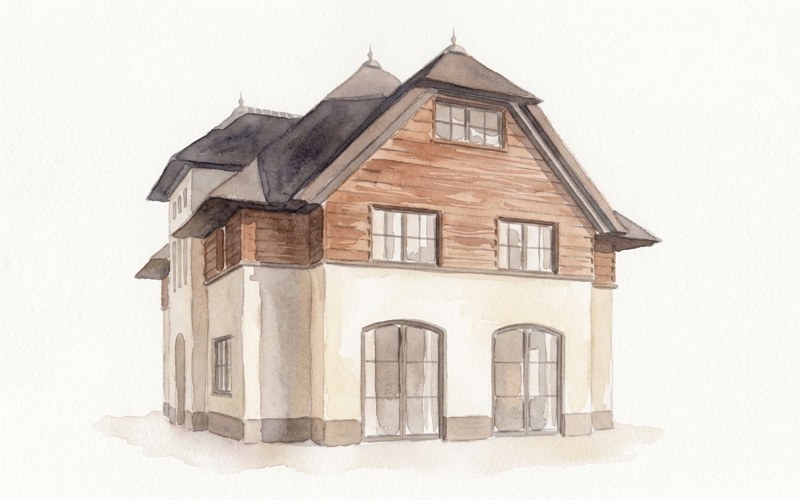
Per subject: person, pet, house
- Person: both eyes visible, no sunglasses and no cap that puts the face in shadow. Smiling is fine, being silly too, as long as the face is clearly visible.
- Pet: get down on your knees and photograph at the animal's eye level. A treat or toy just above the lens works wonders for the gaze. Black fur? Then extra light is not a luxury but a necessity.
- House: the tidier the photo, the better. A parked car or skip can simply be left out on request in the create flow, in plain language, but the facade itself must be clear and fully visible.
What does not work
- Forwarded WhatsApp photos and screenshots: quality disappears with every send. Ask for the original from the gallery.
- A photo of a paper photo can work, for instance for a memorial portrait. Lay it flat in daylight, without flash and without glare.
- Heavy filters and beauty mode: the drawing simply inherits the smoothed skin and shifted colours.
- Group photos where everyone is tiny: rather pick a photo where the group fills the frame.
- Digital zoom: walking two steps closer always beats zooming in.
In doubt? The create flow checks along with you
You do not have to memorise this list. As soon as you upload a photo, we check along automatically: if the photo is on the dark side or not quite sharp, we say so honestly before you generate, and we move the styles that handle it best to the front. And because the preview is free, you can simply try two photos and compare which one wins.
Test your photo, no strings attached
Upload your photo and see within seconds how it turns into a drawing. The preview is free, you only pay when you love it.
Try it with your photo →Free preview within a minute · you only pay if you love it · no account needed